

To make the most of GPT and ChatGPT, consider using it as a writing assistant and creating reusable prompts or templates.
It may also be helpful to incorporate your own personal experiences into your copy and have an industry expert review and revise your writing.
I’ve open up the comments section below; I’d love the hear your thoughts on this topic.
Quick Links
3 week test, see the results at the end
I used OpenAI playground and ChatGPT for 3 weeks to write SEO copy for myself and a client in the YMYL space, so I thought I’d tell you how I got on so.
Then judge for yourself if you want to go down this route.
Background
Over the years, I’ve evolved from traditional marketing into SEO, primarily doing keyword research, creating content plans for clients and then getting the content written by others; or myself if the client is in the digital marketing space.
I have written for Frase, Ahrefs and my website.
For the record, I worked with Frase for 8 months, doing SEO, writing and creating several AI templates.
And I’ve written 10 articles for Ahrefs this year.
However, I am not an expert copywriter; I failed English in high school yet somehow managed to get a marketing degree at university.
What is OpenAI, GPT, ChatGPT?
Funded by Microsoft, Elon Musk and others, Open AI has developed GPT (Generative Pre-trained Transformer): a state-of-the-art language processing model that can generate human-like text, perform translations, summaries, and answer questions and ChatGPT; a conversational model.
I’m sharing my experiences using GPT-3 and ChatGPT, but OpenAI has also developed tools for images, music and code.
Things to know
Before you get started, consider this a disclaimer; don’t generate copy using AI tools and immediately publish it.
Since Google is the dominant search engine, they’ve provided 3 things you need to know about creating content.
Content for people, by people
To quote Google “we’ll launch the “helpful content update” to tackle content that seems to have been primarily created for ranking well in search engines rather than to help or inform people. This ranking update will help make sure that unoriginal, low quality content doesn’t rank highly in search.”
Include your experience
To quote Google, “There are some situations where really what you value most is content produced by someone who has first-hand, life experience on the topic at hand“.
Product reviews should be written by experts or enthusiasts who know the topic well.
Another Google quote: “A product reviews update aims to better reward high quality product reviews, content that provides insightful analysis and original research, and is written by experts or enthusiasts who know the topic well“.
That’s 3 things AI cannot do, I think.
Ok, let me go back to when I got started.
Getting started
I signed up for free with my Gmail account. You get about $18 of credit, but after a few days of use, I had to add my credit card, which I was cool with.
So far, I’ve spent $1.52 for around 692 tokens.
My process
For the last 3 years, my process for creating content goes a little like this.
- Pick the target keyword from the content plan and research I’ve done.
- Use Frase for SERP analusis and as a writing assistant.
- Use my client or self as the editor.
- Use Grammarly for spelling, grammar and plagiarism checking.
Day 1 to Day 21
I’ve done my best to recreate my first 21 days using OpenAI.
Day 1: Creating a how to article
After playing with their playground 9 times, I wrote this prompt, including “in the UK” for better context.
Write a 1000 word article outlining the steps on how to become a limited company in the United KingdomHere’s a sample of the first 3 paragraphs it generated and, underneath,
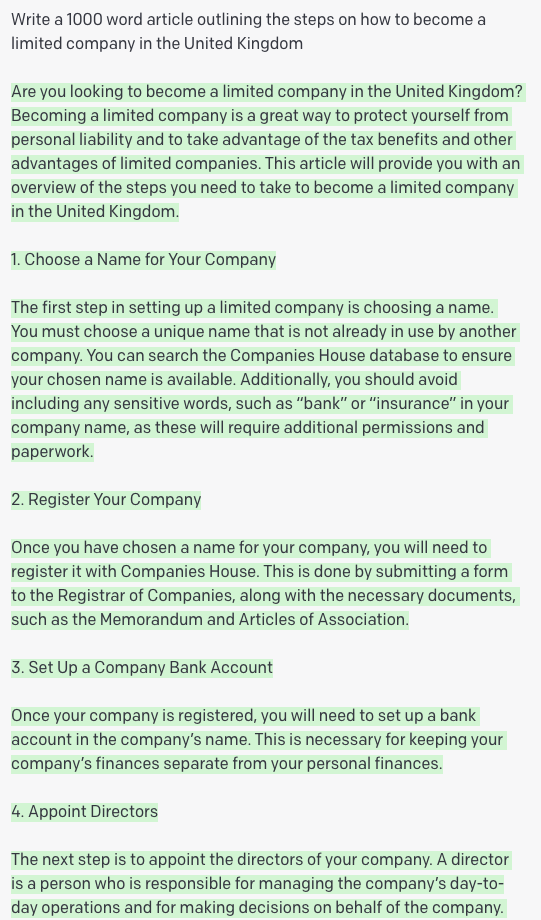
Here’s same 3 paragraphs that the client approved.

This client needs to approve all content, giving incorrect information does not reflect well on their professional credentials.
All we’ve done is trim out some fat in this content; other than that, an expert has approved edited AI generated content.
The article was published on the client’s low authority site and is ranking; no clicks yet.
Day 2: Step by step guide
I asked it to
Write a detailed step by step guide to doing keyword research with Ahrefs in 5 to 30 minutes.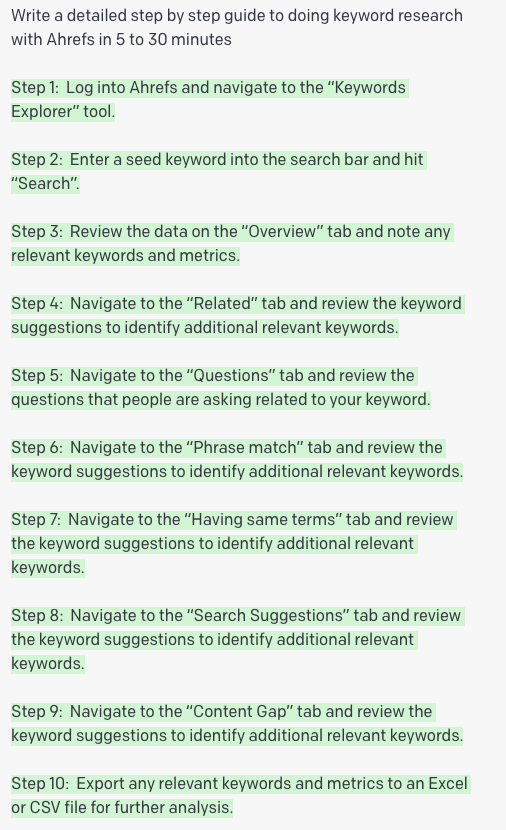
The output is fairly basic but reasonably accurate.
Day 3: Write a product review
I have a website that I play around with for product reviews so I asked it to write a review about a golf top I had purchased.
I entered the following prompt, and then copied features from Nike’s product page.
Write a 500 word product review of the Nike Dri-FIT Men's Long-Sleeve Golf Top, which contains the following features:Here’s what it wrote.

Day 4: Writing an email to re-engage with my email subscribers
Until a year ago, I used to bombard my subscribers every week, so I wanted to re-engage with them.
I entered this prompt:
Write an email to re-engage with my subscribers, encouraging them to learn more about my keyword research and SEO services.Here’s the output.
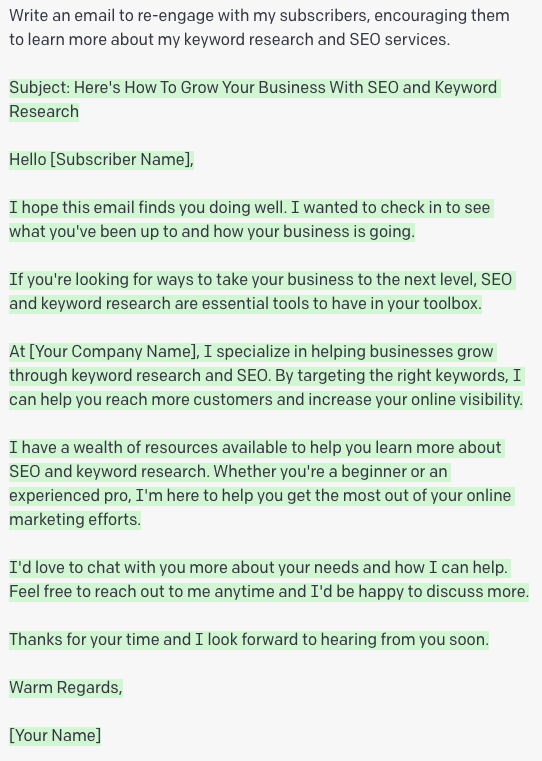
Would I use this? No.
Day 5: Creating an SEO content brief
Before I write anything, I always create a brief, so I used this prompt.
Write a detailed SEO content brief for this keyword: how to do keyword research with Ahrefs.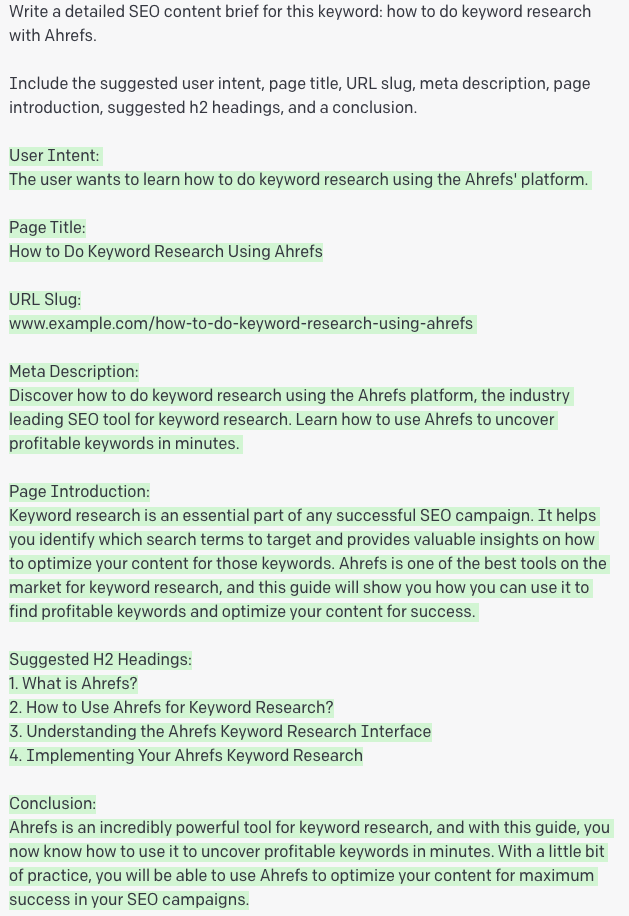
It’s a good brief I can work with, but I’ve subsequently reworded the instructions – adding actionable h2 headings and subheadings to get a better output.
Day 6: Generating a whole bunch of definitions or answers
I learned from working with Ahrefs editors how to write definitions or answers to questions that can increase the likelihood of earning a featured snippet.
So I settled on the following prompt to get an answer to a question.
Write an answer to the following question in around 100 words in the format; start by turning the question into a statement, then use a conjunction word, then give an answer followed by any further explanation.Here’s the output.
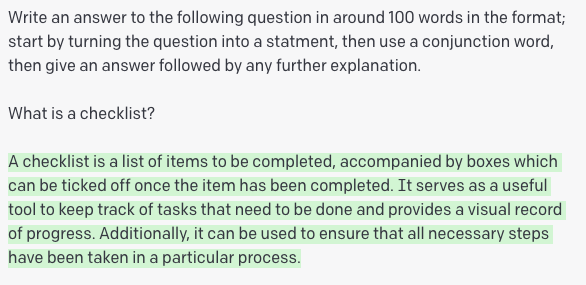
Day 9: Writing persuasive page titles
I skipped a few days before settling on this prompt to write page titles.
Write 3 persuasive page titles for the keyword "SEO Traffic", putting the keyword near the beginning of the page title and ending the page title with an outcome or benefit statement.Here’s the output.
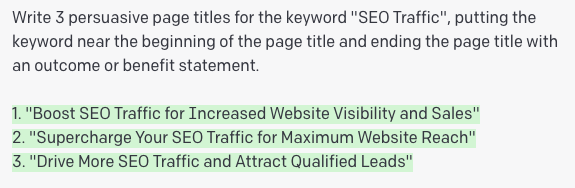
Day 10: Listing statistics and citing sources
Creating statistics can be pretty good at earning links, so I used this prompt to see what it could output.
Write a list and summarise 78 of the most recent SEO statistics making reference to supporting resources.I’ve since refined the prompt asking it to cite the URL.
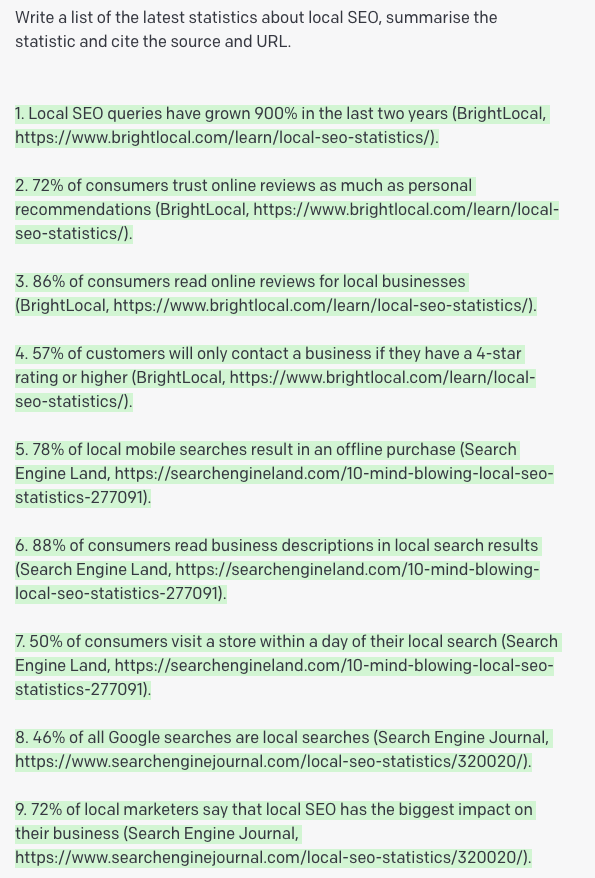
The only drawback to asking for stats or citing URLs is that GPT-3 has “limited knowledge of world and events after 2021”.
Day 11: Writing a review for a product I have used most weeks for the last 10 years; Camtasia
I used this huge writing prompt to generate a review of a product I use regularly.
Write a detailed 1000 word product review article in the following structure about the Camtasia Screen Recorder and Video Editor.

Write an introduction inviting readers to read the review and find out if the Camtasia Screen Recorder and Video Editor is the right product or solution for them or their business.

In the next section, identify who the Camtasia Screen Recorder and Video Editor is for, introduce it, what it is capable of doing and what outcome users can expect from using it.

In the next section, write a detailed list of pros and cons about the Camtasia Screen Recorder and Video Editor

In the next section, list and summarise the benefits of the key features of the Camtasia Screen Recorder and Video Editor

In the next section, write about an alternative to the Camtasia Screen Recorder and Video Editor

Finish by writing a summary describing the Camtasia Screen Recorder and Video Editor, who it is for, the intended use, a summary of the benefits, your opinion on the Camtasia Screen Recorder and Video Editor and a call to action, such as a link to buy online.
Here’s the output, whilst it reads fairly well, there’s no way I’d publish anything like this knowing what I know now about Google wanted personal experiences.
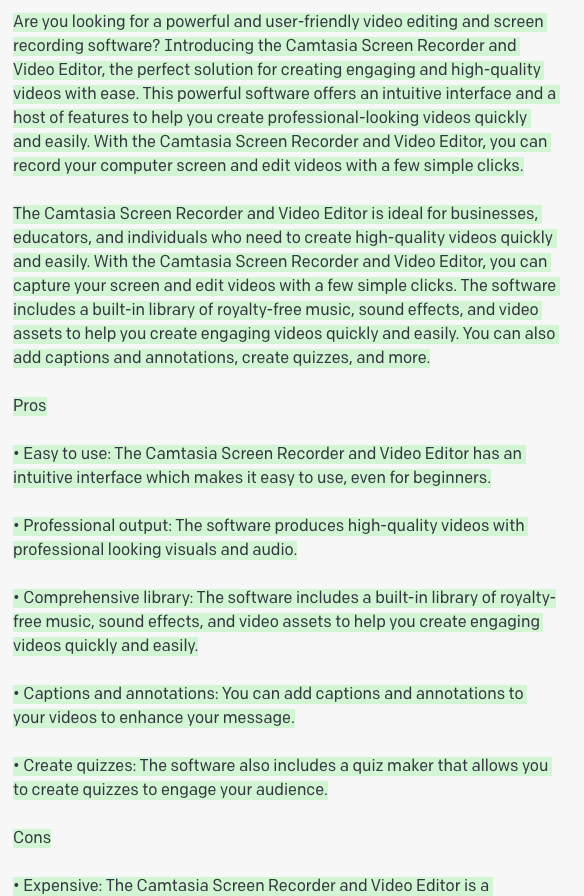
Additionally, the output only provided the basic building blocks for a review article.
Looks like I need to write a different or better prompt.
Day 12: Write about an alternative solution
An alternative article is a popular format, so I entered this prompt.
Write a 1000 word article for dissatisfied user who are looking for an alternative to ConvertkitHere’s the output.

Playground options
The only option I have changed from the default settings so far is the word count, moving it to 2000 plus words for my frameworks.
At the moment, I’ve no idea how to use the stop sequences, inject start text, or inject restart text.
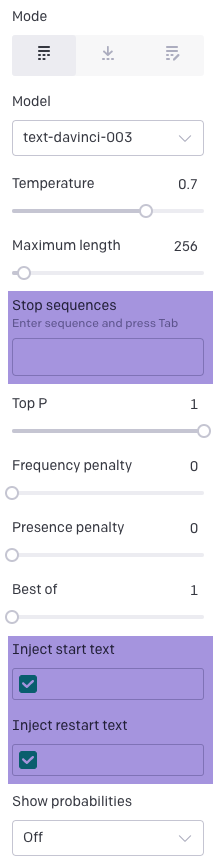
And this prompted me to try ChatGPT.
I looked back at my history.
In this example, I asked it to write a brief.
Write a detailed SEO content brief for this keyword: SEO for accountants. Include the suggested user intent, page title, page introduction, suggested h2 headings, and a conclusion.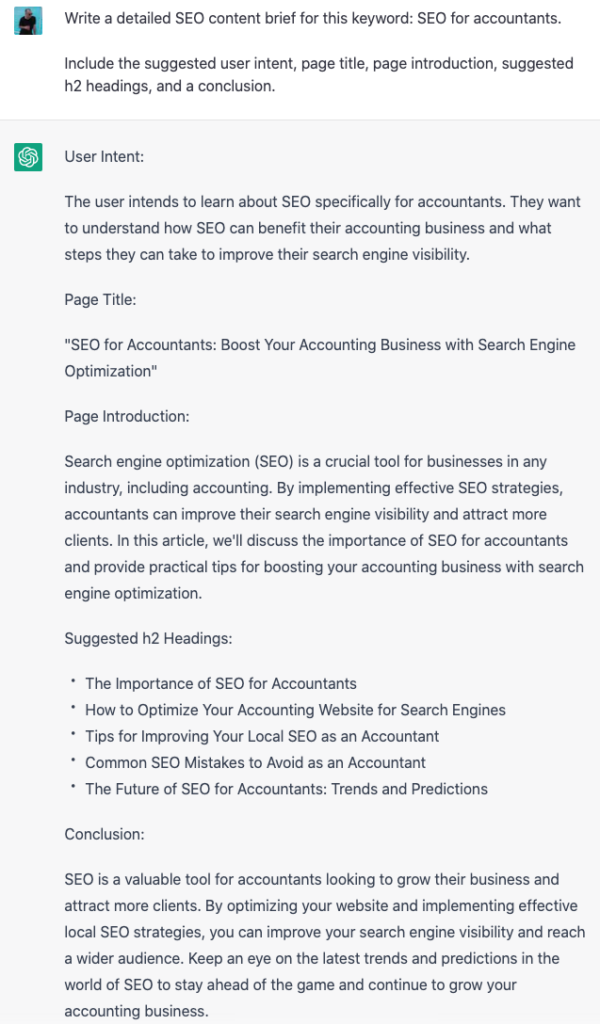
Seems fairly good, so far.
Then I took the first heading of the brief and asked it to write the copy for that heading.
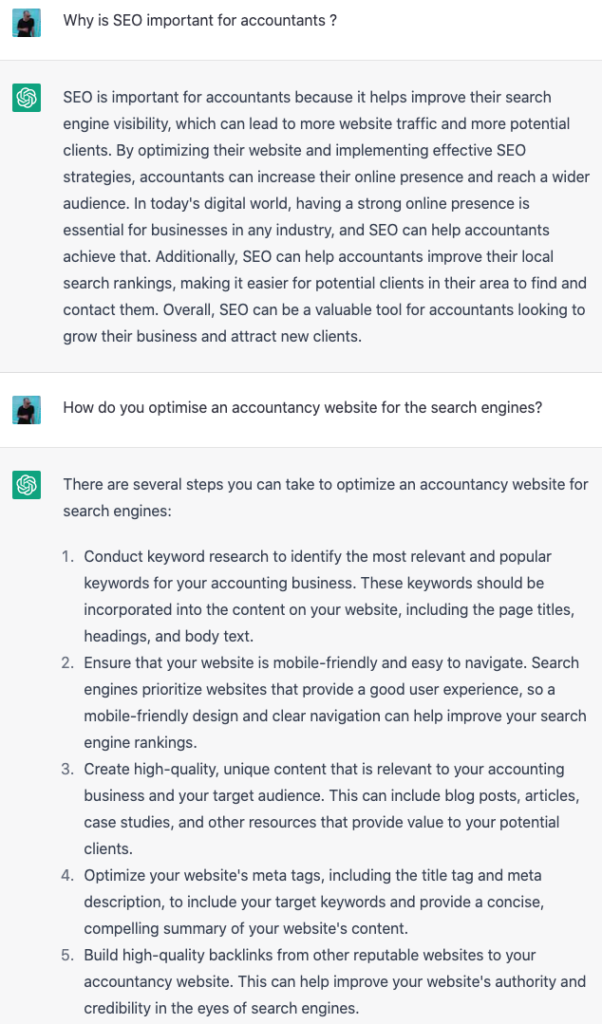
So, now you can go from creating a brief to generating an entire draft.
Just copy the entire “chat” copy into a Word or Google Docs and rearrange the content.
Day 15: Using ChatGPT for real articles.
I published an article targeting the keyword “SEO traffic”.
Here’s the prompt I put into ChatGPT.
Write a detailed SEO content brief for this keyword: seo traffic. Include the suggested user intent, page title, page introduction, suggested h2 headings, and a conclusion.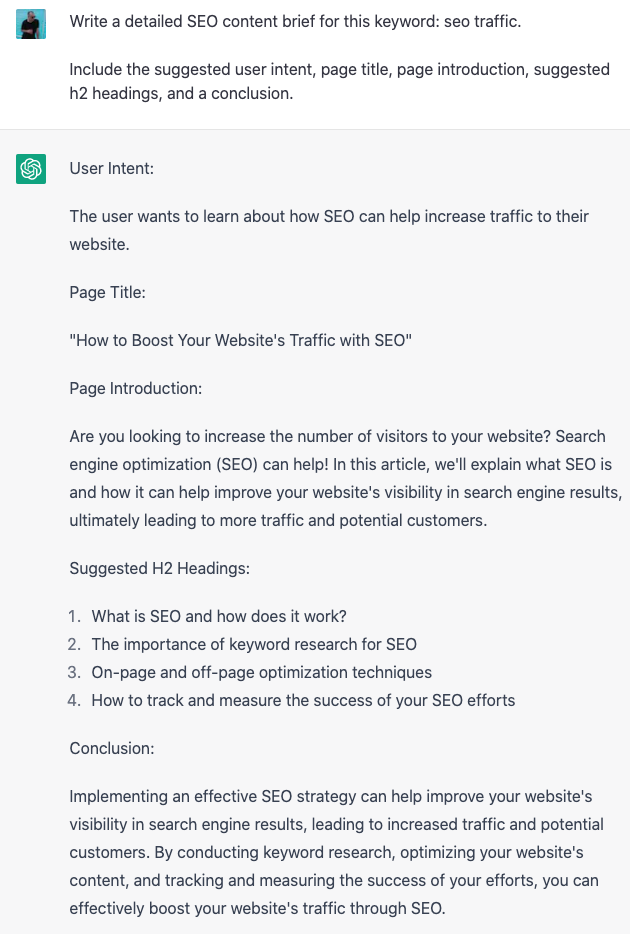
Then I prompted it to write the copy for my headings.

I dumped all the output into Frase to edit and optimise.
Some of the AI generated content remains, but I spent around 2 days rewriting, editing and putting some of my own ideas into this article.
I sourced relevant stats, and wrote about the traffic estimates I’ve generated from my recent work for clients.
In other words, I added personal experience.
I included a video of me talking people through a process.
Day 17: Rewrite this so a 5 year old understands.
Once I had finalised my draft copy, I decided to ask GPTChat to simplify some of my sentences and paragraphs so a 5 year old could understand.
I used this prompt.
Rewrite this so a 5 year old understands. On-page SEO refers to the practice of optimising individual web pages to rank higher and earn more relevant traffic in search engines.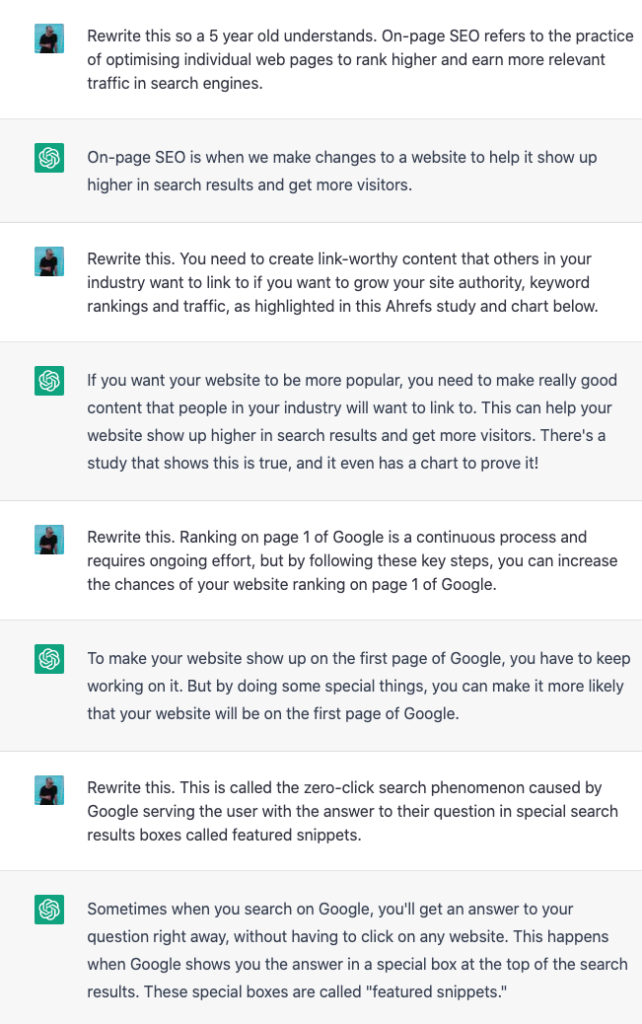
This is not to suggest my readers are 5 years old, but rather to improve my grasp of the written word.
Day 19: Add a tone of voice
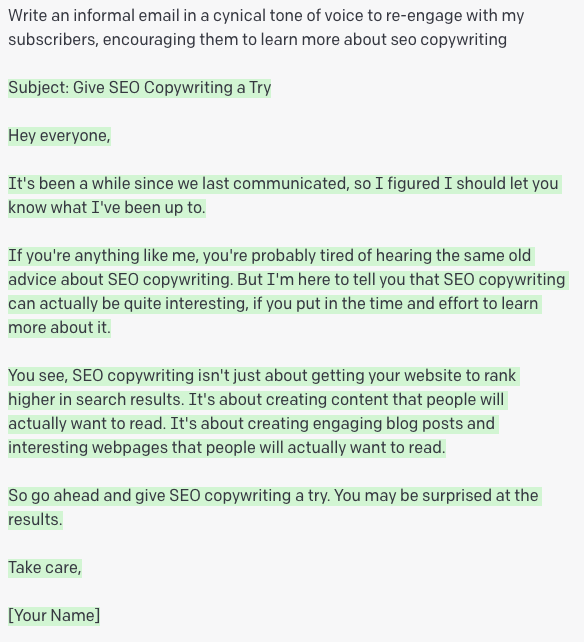
I wanted to improve my first attemtp on day 4 to write amore realistic, even cynical email newsletter, so here’s the prompt I used.
Write an informal email in a cynical tone of voice to re-engage with my subscribers, encouraging them to learn more about SEO copywriting.Here’s the output.
Day 21: Sentence transitions (bucket brigades)
Yoast pinpointed that my copy lacked transition statements, so I created this prompt to write some.
Write 3 unique transition phrases to link the first sentence to the second sentence.ique transition phrase based on one of the examples below to link the first sentence to the second sentence.

First sentence: x

Second sentence: x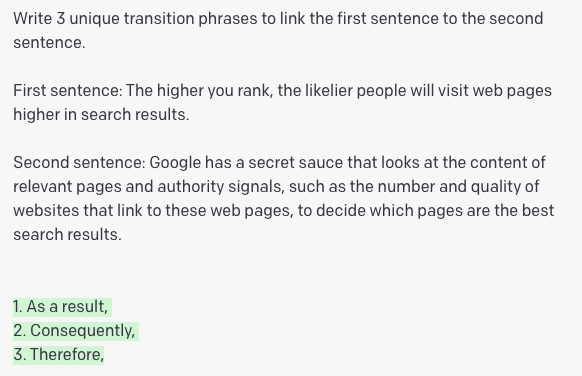
I’m struggling to generate sentence transitions; either that or my prompts aren’t great.
Benefits I’m getting from using GPT & ChatGPT.
I’m now using a combination of writing assistants
Google Docs, Grammarly, OpenAi, and Frase – they are all writing assistants, different tools in my bag to get a job done; rank high.
I think my definition and answer prompt rocks
The answer prompt is the one I’ve used the most and included the most in articles so I think I’ve got it down to a t.
Good for evergreen and boring content
I believe the content I’m producing for one client is content that won’t really go out of date, so it’s really good for that.
I hope I’m writing like a 5-year old
I feel my original words are created in Fraser language, and then I use AI to translate into another language; the clients.
You be the judge.
I’m getting better content briefs
Notice in my SEO content brief prompt, AI writes what the intent behind a keyword is; maybe I should ask AI to suggest the content format for the target keyword, e.g., a how-to post, guide, list post etc.
I have more, better writing prompts
I have created around 20 writing prompts now that cover most of my writing scenarios.
I would encourage anyone who writes to create their own; I’m not ready to unleash these prompts publicly yet.
I’m actually taking longer to publish content
I don’t track my writing time, but I feel like I’m taking much longer to publish content.
My last 2 articles took around 3 days each; which includes the time to design mobile friendly screenshots and images.
SEO results
In 10 days, the 8 articles have generated 1380 impressions and 1 click; I think that’s a solid start for a low DR website.
There’s a few keywords on page 1 and 2 but the impressions are low.
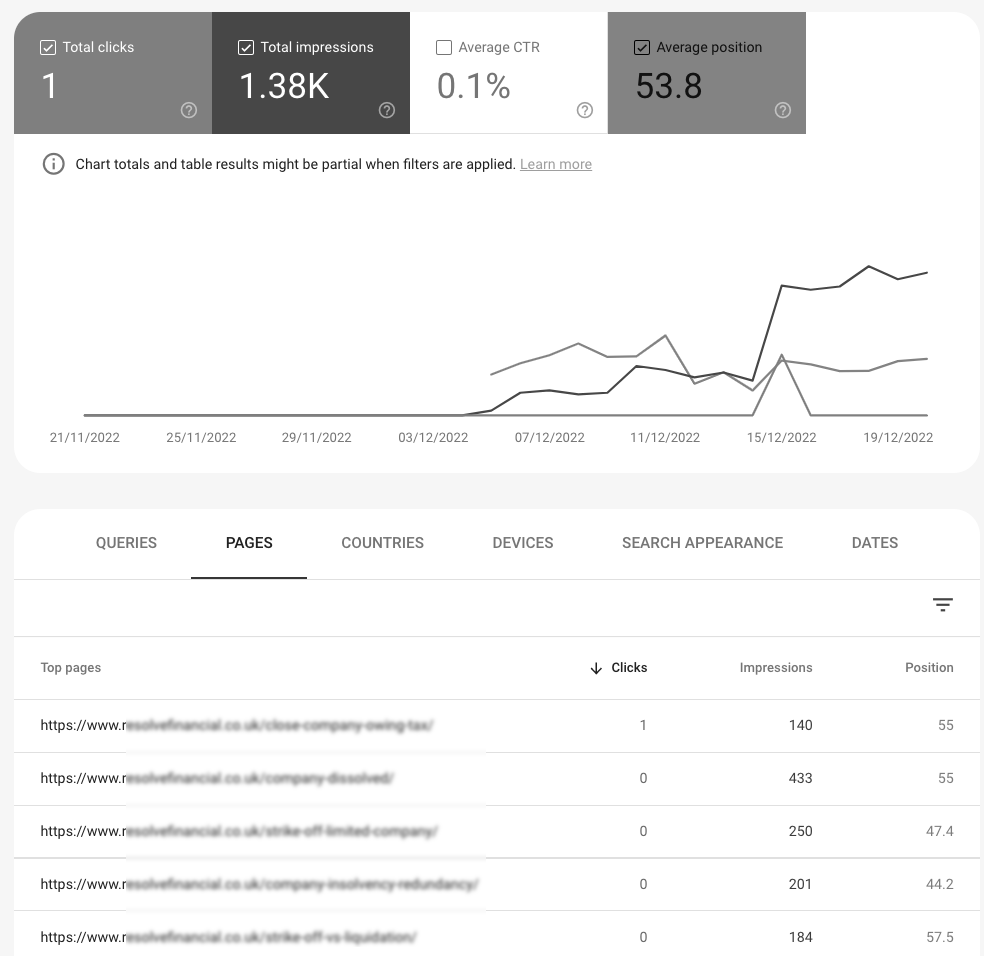
Remember, this is a website with 15 referring domains and and a DR of 5 and low authority sites can take up to a year to get to page 1.
My own article, published 9 days ago, is getting 3 clicks and 4720 impressions.
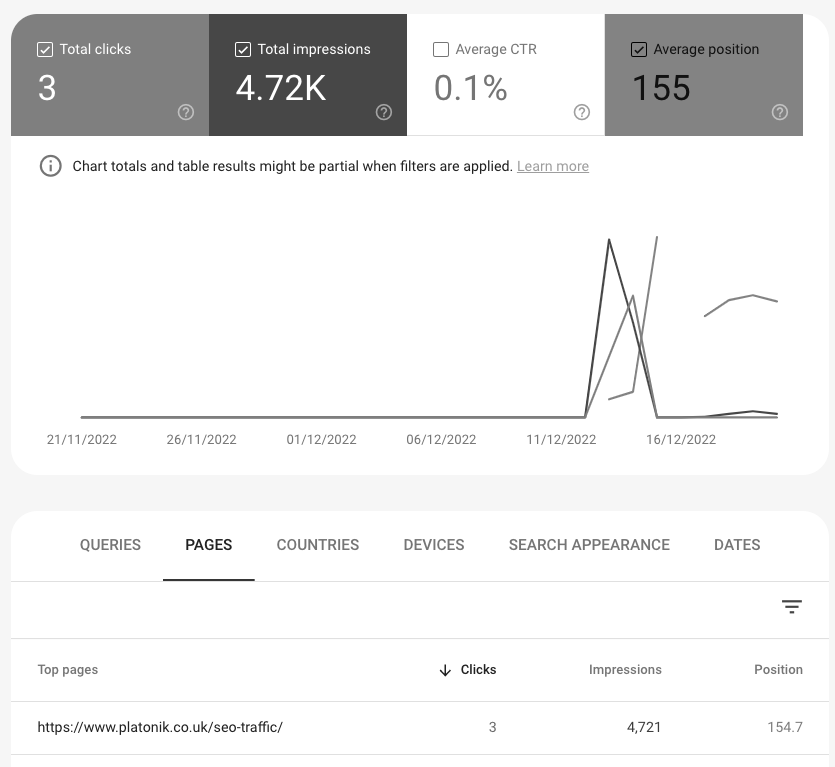
The target keyword with a keyword difficulty of 59, according to Ahrefs, is at position 26.
